iPad screen

Cracked iPad screen: is new glass enough, or does the whole screen need replacing?

Two iPads with almost the same crack in the glass can need completely different repairs. That comes down to how Apple puts the glass and the screen together, and that differs from model to model. If you know which iPad you have, you can judge the repair better before we even talk.

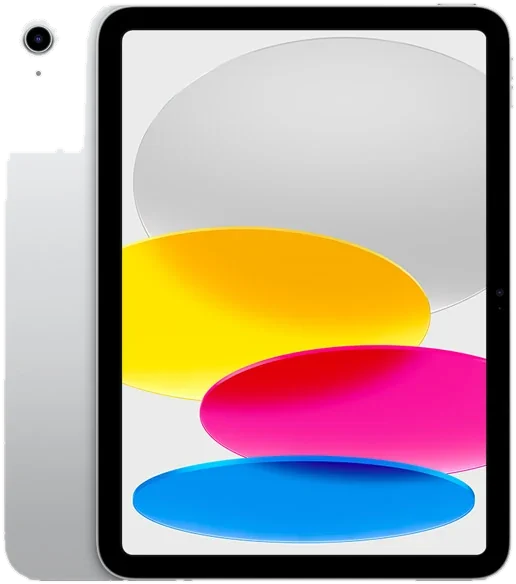
iPad (10th generation), front
Published Topic Repair

Cracked iPad screen: is new glass enough, or does the whole screen need replacing?

Two ways an iPad is built

The front of every iPad is made of several layers. On top sits the cover glass with the touch layer that detects your fingers, and underneath it sits the screen that creates the image.

On the current iPad Air and iPad mini models these layers are bonded firmly together, and the same goes for the iPad Pro. Apple calls this “fully laminated” in the tech specs. The image seems to sit right under the surface because there is no longer any air between the glass and the screen.

The standard iPad, the one without an extra word in its name, does not have this. There the glass with the touch layer sits separately above the screen, with a narrow gap in between. That also applies to the newer generations with USB-C.

How to tell which model you have

The quickest way is through the settings. Under “General” and then “About” you will find the model name, and for the standard iPad the generation follows it.

If the iPad no longer responds, or the glass is so shattered that you cannot read anything, look at the back. There you will find a small printed model number starting with an A. On its support page for identifying iPad models, Apple lists which number belongs to which generation.

Send us that number straight away with your request. Then the build type is clear before you bring the iPad in.

What that means for the repair

On the standard iPad with separate layers, a crack in the glass is often really just a crack in the glass. If the image underneath is clean and touch responds everywhere, the screen is fine, and technically only the glass with the touch layer needs replacing.

Laminated iPads do not have this separation. Even if the image under the crack looks perfect, the glass cannot be cleanly removed from the screen, so the complete screen is replaced. On the iPad Air and the iPad Pro, a crack is unfortunately never “just the glass”.

With older generations of the iPad Air and iPad mini it depends on the year, because the early models still had separate glass. The pages for the individual models tell you how your device is built. Which repair your iPad needs is something we will tell you after the diagnosis.

When touch starts acting up after a crack

A crack in the glass can damage the touch layer underneath. You will notice it in spots where the iPad no longer reacts to your finger, or in inputs it triggers all by itself.

On the standard iPad the touch layer belongs to the glass. If touch acts up there after a drop while the image stays fine, that fits damage to the glass, and the screen underneath can still be intact.

It is a different story when bright spots, lines or black areas appear in the image. Then the screen itself has been hit, and that is true for every build type. Until the repair, a strip of clear tape over the crack holds loose splinters in place so you do not cut your fingers when swiping.

What to back up before you hand it in

Replacing the glass or the screen does not directly affect the iPad’s storage. Still, a current backup belongs before every repair, because something unexpected can always happen once a device is open.

As long as touch still works, iCloud is the easiest way. In the settings, tap your name at the top, then “iCloud” and then “iCloud Backup”. The other options are explained in the article on backing up your data before a repair.

The diagnosis is free, even if you decide against the repair afterwards. After the diagnosis you get a quote. We only repair once you agree.

Frequently asked questions

Quick answers

How can I tell whether my iPad has a laminated screen?

By the model name under Settings, General, About. The current iPad Air and iPad mini models are laminated, and so is the iPad Pro. On the standard iPad the glass sits separately above the screen. For older Air and mini generations, the model number on the back helps.

Can I keep using my iPad with cracked glass?

As long as the image and touch work, usually yes. Tape over the crack so no splinters come loose, and back up your data. Once touch starts acting up, you should not wait much longer, because the damage rarely stops spreading on its own.

Why is a crack on the iPad Air the bigger repair?

Because on the iPad Air the glass and the screen are bonded together and are therefore always replaced together. On the standard iPad the glass alone can technically be replaced if the screen underneath is fine. We will give you the price for your device with the quote.

Your question isn't here? Call us on 0211 26134549 or send us a repair request.

Request

Get your device checked now

Tell us which device it is and what is wrong with it. We get back to you with the price and how long it takes.

  • No obligation: a request is not an order
  • Free diagnosis and quote
  • A phone number or email is all we need
Prefer to call?0211 26134549
Request a repairStep 1 of 5

What brand is your device?

Four short questions. Then we get back to you with the price and how long it takes.

Have your device looked at now

Tell us what's not working, and we'll have the right part ready. We look at your device for free and give you a quote. Then you decide in your own time whether we repair it.

4.8 out of 5742 reviews on Google
WhatsApp