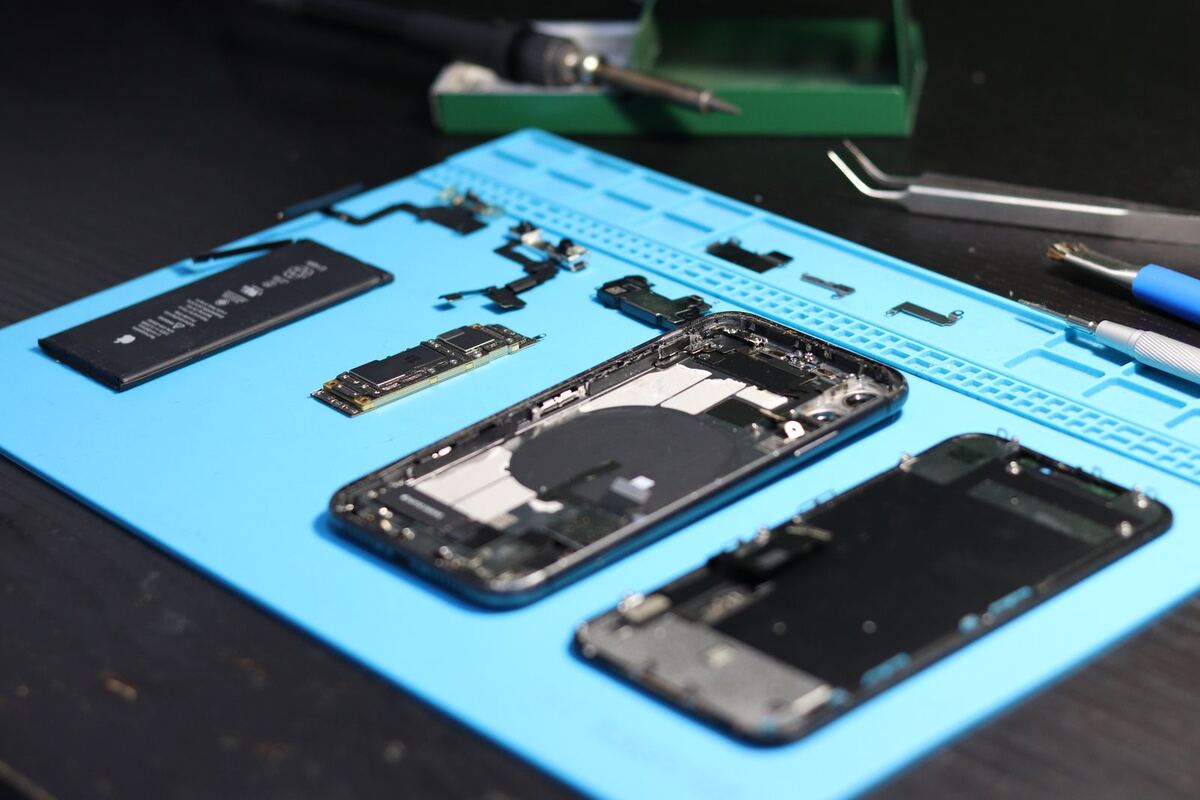
Disassembled phone with tools — repair Düsseldorf
Water damage

Phone fell in water — what to do in the first few minutes

With liquid damage, the first few hours decide whether the logic board can still be saved. What you do during that time matters more than anything that comes after.

Published Topic Care

Phone fell in water — what to do in the first few minutes

Switch it off immediately

This is the most important step and the only one where you really need to hurry. As long as power is flowing while moisture sits on the logic board, short circuits form between components that should never be connected.

A device that was switched off straight away has much better chances than one that kept running for another hour. Even if it seems to work normally right now: switch it off.

If your device cannot be switched off the normal way because the touchscreen no longer responds, use the force restart for your model and then leave it off.

Do not charge it under any circumstances

Plugging a wet device into a charging cable is the surest way to turn repairable damage into a total loss. In the charging port, the contacts sit right next to each other.

Newer devices warn you on their own when they detect moisture in the port and refuse to charge. Please do not bypass this warning, even if the device urgently needs power.

This also applies to wireless charging. There, too, current flows through the device.

No rice, no hairdryer, no radiator

Rice is the most persistent tip on the internet and sadly it does not work. Rice does not draw moisture out of a closed housing. It only costs you the hours in which corrosion can work undisturbed, and it also leaves dust in the port.

A hairdryer or a radiator is even worse. Warm air drives the moisture deeper into the device instead of getting it out, and heat is hard on adhesive bonds and the battery.

What actually helps is a thorough cleaning with the device opened up. In the process we remove the residue that is the real problem: not the water itself, but what it leaves behind.

What you can sensibly do yourself

These steps are safe and improve the starting position until you get to us.

  • Switch the device off and leave it off
  • Pat it dry thoroughly on the outside
  • Take out the SIM card and, if there is one, the memory card
  • Remove the case so nothing traps moisture
  • Stand the device upright so water can drain downwards
  • Do not shake it, do not blow into it, do not poke into the port

Why time is the deciding factor

The real problem after water damage is not the wetness but the corrosion. As soon as liquid gets onto the logic board, chemical processes begin that attack the circuit traces and solder joints.

This continues even when the device has long seemed dry. That is why devices brought in only after several days are much harder to save than those that arrive within a few hours.

Anything that is not clear water is especially aggressive: salt water, cola, coffee, beer. They leave behind sugar and salts that speed up the corrosion.

IP68 does not mean waterproof forever

Many current devices are rated IP68 and survive a mishap without problems. But this rating applies to a new, undamaged device under lab conditions with clear water.

Seals age. After years of everyday use, with temperature changes and the odd drop, a housing is no longer as tight as on day one. Even a fine crack in the display cancels out the protection.

And: manufacturer warranties usually exclude liquid damage, regardless of the IP rating. Inside the device there are indicators that change colour on contact with liquid. We see them as soon as we open it, and so does the manufacturer.

What we do once you are here

We open the device, disconnect the battery and look at the logic board. We remove residue and corrosion in an ultrasonic bath and by hand, and then we check every component individually.

We tell you honestly what the chances are before we start. With water damage nobody can guarantee a result, and anyone who does is promising too much.

If the device can no longer be saved, the second step is to at least get to your data. We try that, too, before we give up on a device.

Frequently asked questions

Quick answers

My phone still works normally after getting wet. Do I still need to come in?

Yes, ideally soon. The fact that a device works right afterwards says little. Corrosion works over days and weeks, and many devices only fail later. A cleaning now is much cheaper than a logic board repair in four weeks.

Does rice really not help?

No. Rice does not draw moisture out of the electronics in a closed housing. The only measurable effect is that time passes while corrosion works undisturbed. On top of that, rice dust ends up in the charging port. Just bring the device in instead.

Does the warranty cover water damage?

Usually not. Manufacturers exclude liquid damage, even for devices with an IP rating. Inside the device there are indicators that change colour on contact. A private phone insurance policy may cover such cases depending on the plan, so check your terms there.

Can my data still be recovered if nothing works anymore?

Often, yes. As long as the storage chip itself is undamaged, the chances are good, even if the device no longer starts. This is a separate step that we discuss with you beforehand. When you drop off your device, tell us whether the data or the device has priority.

Your question isn't here? Call us on 0211 26134549 or send us a repair request.

Request

Get your device checked now

Tell us which device it is and what is wrong with it. We get back to you with the price and how long it takes.

  • No obligation: a request is not an order
  • Free diagnosis and quote
  • A phone number or email is all we need
Prefer to call?0211 26134549
Request a repairStep 1 of 5

What brand is your device?

Four short questions. Then we get back to you with the price and how long it takes.

Have your device looked at now

Tell us what's not working, and we'll have the right part ready. We look at your device for free and give you a quote. Then you decide in your own time whether we repair it.

4.8 out of 5742 reviews on Google
WhatsApp