Samsung Galaxy A

Galaxy A screen broken: repair it or buy a new one?

With a Galaxy from the A series, a cracked screen is a closer call than with an expensive flagship. The reason is simple: on a mid-range phone, the screen makes up a large share of the phone's price. The general question of repair versus buying new has its own article; this one covers what comes on top with the A series.

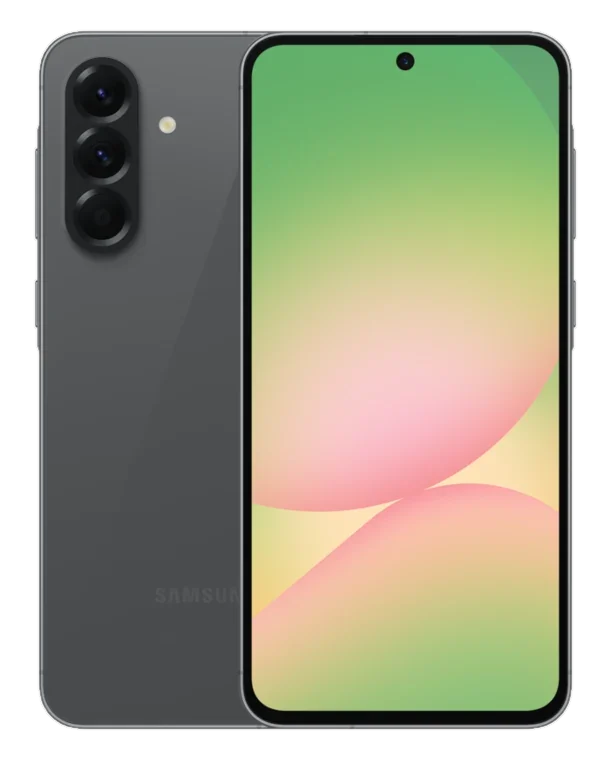
Galaxy A56, front and back
Published Topic Buying advice

Galaxy A screen broken: repair it or buy a new one?

Why the maths looks different in the A series

On a flagship, a new screen costs a lot of money, but the phone itself costs a good deal more. On a Galaxy A the two amounts are closer together, because the phone is cheaper while the screen as a part is not cheaper to the same degree.

So compare the repair price with what your model costs used and in good condition. Look at offers with the same storage size, because the A series has many variants with similar names.

A second point matters more in the A series than with expensive phones, namely how long Samsung will keep supplying your model with updates. A repaired phone that will soon stop getting security updates is only a temporary solution for banking and payment apps.

Which A models still get updates

On its security updates page, Samsung publishes a list of the devices that are still supported. Each model is placed in a group, depending on whether it gets updates monthly, quarterly or every six months. Once a model has disappeared from the list, regular security updates have usually stopped.

When we last checked in October 2026, the newer models of the series were still on the list. The Galaxy A52 was already missing, and the same was true for its two predecessors.

For the Galaxy A56, Samsung promised long support when it was launched. It is to receive up to six generations of Android upgrades, and Samsung promises security updates for the same number of years. So if you repair a cracked screen on this model, you are repairing a phone that will be supported for a long time.

How to see the status on your phone

On the phone itself, you will find the date of the last security patch in the settings under “About phone” and then “Software information”. The security patch level is shown there as a date.

If that date is a long time ago even though you check for updates regularly, your model is probably not getting anything any more. That does not mean the phone will fail tomorrow. For online banking and payment apps, though, you should think about a newer phone before you put money into a screen.

Screen with or without the frame

On many Galaxy models the screen is firmly attached to the frame and is replaced together with it. Why Samsung builds them this way and what that means for you is explained in the article about the Galaxy screen with frame.

What the replacement part for your A model looks like exactly, and what that means for the price, we tell you at the diagnosis. For that, give us the exact model name, which you will find in the settings under “About phone”.

Many newer A models have the fingerprint sensor under the screen. After a screen replacement, you simply set up your fingerprints there again.

A battery instead of a new phone

The wish for a new phone is often triggered by the battery, when one charge no longer lasts until the evening. With an A model that still gets updates, a new battery is the obvious solution, because it costs much less than a new phone.

How to read the battery condition on a Samsung, and from what point a replacement makes a noticeable difference, is explained in the article about battery replacement. Before the battery replacement, take a quick look at Samsung's list to see whether your model is still among the supported devices.

If the screen and the battery are both weak, we replace both in one go. We tell you the total price beforehand, so you can compare it calmly with a new phone.

What we tell you after the diagnosis

We accept every model, including older ones from the A series. The diagnosis is free, even if you decide against the repair afterwards.

After the diagnosis you get a quote. We only repair once you agree. We work with original parts, and on request we also fit tested aftermarket parts. What the difference is for the screen is explained in the article about original and aftermarket parts.

You will find a first indication for your model in our price list.

Frequently asked questions

Quick answers

Does my Galaxy A52 still get security updates?

When we last checked in October, the A52 was no longer on Samsung's list of devices with security updates. You can see the current status on Samsung's security updates page and on the phone under “About phone” and “Software information”.

Where can I see when my Galaxy got its last security update?

In the settings under “About phone” and then “Software information”. The security patch level is shown there as a date. If it is a long time ago, your model is probably not getting updates any more.

What is cheaper for a Galaxy A, a new battery or a new phone?

A new battery, by a wide margin. The replacement makes the most sense as long as your model still gets security updates. We tell you the price for your phone after the free diagnosis.

How do I know exactly which Galaxy A I have?

The model name is shown in the settings under “About phone”. The exact model number starts with SM and is listed there as well. Give us both, and we will know in advance which screen fits your phone.

Your question isn't here? Call us on 0211 26134549 or send us a repair request.

Request

Get your device checked now

Tell us which device it is and what is wrong with it. We get back to you with the price and how long it takes.

  • No obligation: a request is not an order
  • Free diagnosis and quote
  • A phone number or email is all we need
Prefer to call?0211 26134549
Request a repairStep 1 of 5

What brand is your device?

Four short questions. Then we get back to you with the price and how long it takes.

Have your device looked at now

Tell us what's not working, and we'll have the right part ready. We look at your device for free and give you a quote. Then you decide in your own time whether we repair it.

4.8 out of 5742 reviews on Google
WhatsApp